
7 Common Laptop Problems and How to Fix Them
Laptops are essential tools for work, school, and entertainment, but they're prone to specific problems due to their portable design and compact components. Here are the seven most common laptop issues CAH Tech encounters and how to solve them.
1. Laptop Won't Turn On or Boot
One of the most alarming problems: you press the power button and nothing happens, or the laptop starts but won't boot into Windows. This can have several causes.
- Dead Battery: Plug in the charger and wait 15-30 minutes. If the battery is completely drained, it needs time to charge before booting. Look for charging indicator lights.
- Faulty Charger: Test with a known-good charger if possible. Check if the charging port is loose or damaged. Broken charging ports are common and require professional repair.
- Power Button Failure: The power button itself may be broken. Try holding it for 30 seconds to force a hard reset. If this doesn't work, the button may need replacement.
- RAM Issues: Reseat the RAM modules. Power off, remove the battery (if removable), open the RAM compartment, remove and reinstall the RAM sticks, then try booting.
- Hard Drive Failure: If the laptop powers on but shows "No Boot Device" or similar errors, the hard drive may have failed. You'll need data recovery and drive replacement.
- Motherboard Failure: If none of the above work, the motherboard may be damaged. This is expensive to repair and often means replacement is more economical.
CAH Tech Solution: We perform comprehensive diagnostics to identify why your laptop won't boot. We can repair charging ports, replace batteries, recover data from failed drives, and advise on motherboard issues.
2. Overheating and Thermal Shutdown
Laptops generate significant heat in a small space. Overheating causes performance throttling, unexpected shutdowns, and can permanently damage components if not addressed.
- Dust Buildup: Dust clogs cooling vents and fan blades, preventing airflow. This is the #1 cause of laptop overheating. Professional cleaning every 12-18 months prevents this.
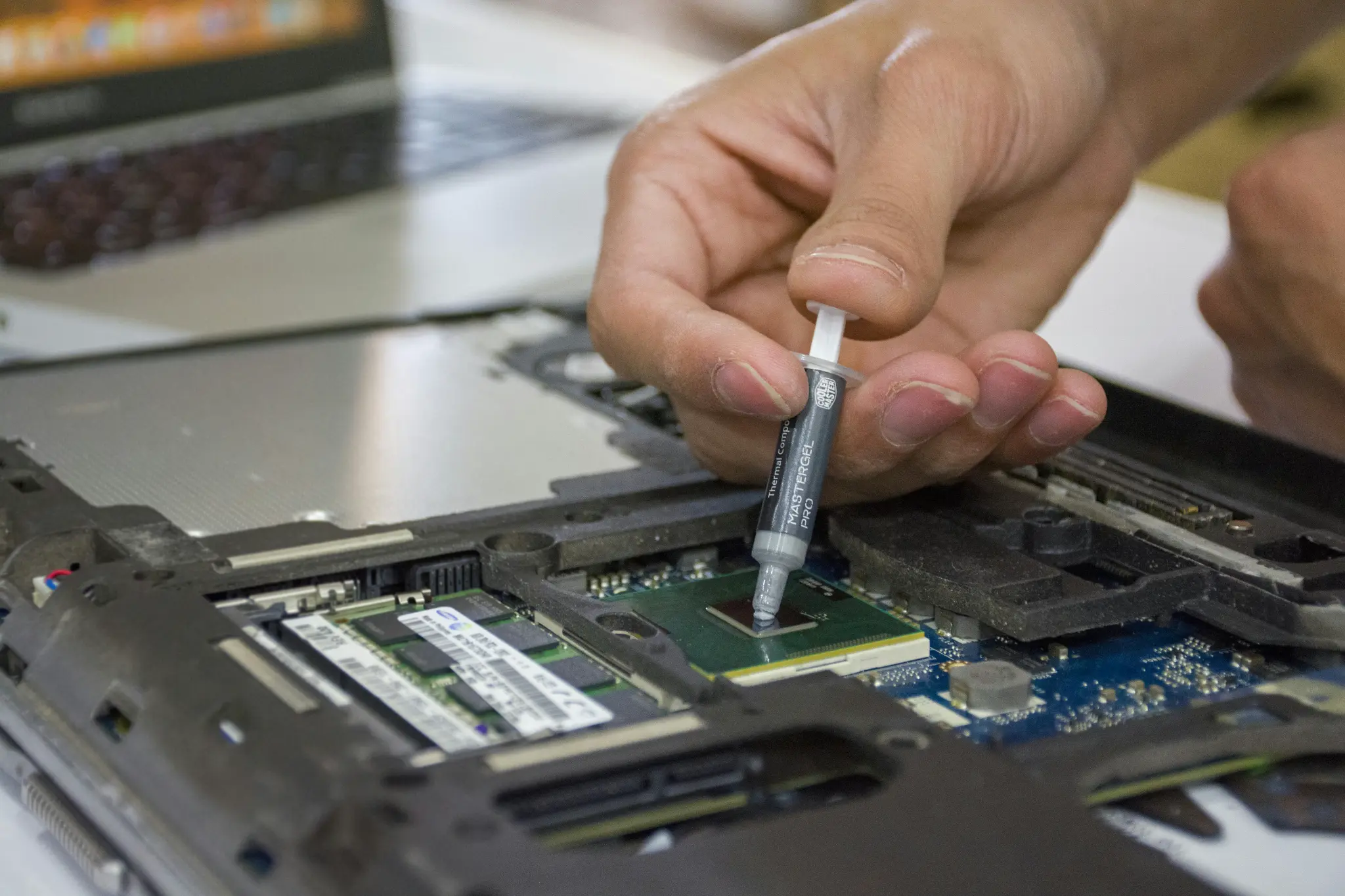
- Dried Thermal Paste: Thermal paste between the CPU/GPU and heatsink dries out over time (3-5 years), reducing heat transfer. Reapplication restores cooling efficiency.
- Fan Failure: Laptop fans wear out and slow down or stop completely. If your fan is loud or not spinning, it needs replacement before heat damage occurs.
- Poor Ventilation: Using laptops on beds, couches, or laps blocks air vents. Always use on hard, flat surfaces. Laptop cooling pads with additional fans help.
- High Ambient Temperature: Working in hot environments (cars, outdoors in summer) overwhelms laptop cooling. Move to air-conditioned spaces when possible.
- Resource-Intensive Tasks: Gaming, video editing, and 3D rendering generate maximum heat. Ensure your laptop is designed for these tasks or reduce settings.
CAH Tech Solution: We provide complete laptop cleaning services including dust removal, fan cleaning/replacement, and thermal paste reapplication. This typically reduces temperatures by 15-30°C and restores performance.
3. Cracked or Broken Screen
Laptop screens are fragile and expensive to replace. Cracks, dead pixels, backlight failures, and display issues are among the most common laptop repairs.
- Physical Damage: Dropping the laptop or closing it with something on the keyboard cracks the LCD panel. This requires complete screen replacement—there's no DIY fix.
- Backlight Failure: If you can barely see the image (very dim), the backlight has failed. This is repairable but requires professional disassembly.
- Dead Pixels: A few dead pixels are cosmetic issues. Large clusters or spreading dead pixels indicate panel failure requiring replacement.
- Screen Flickering: Often caused by loose display cable connections or failing graphics drivers. Update drivers first; if that doesn't help, the cable or inverter needs repair.
- Lines or Distortion: Vertical/horizontal lines or color distortion usually mean the LCD panel is failing. External monitor test: if external display works fine, it's the laptop screen.
- Hinge Damage: Broken hinges can damage display cables and crack screens. Repair hinges immediately to prevent further damage.
CAH Tech Solution: We replace laptop screens with OEM-quality panels. Typical turnaround is 2-3 days. We also repair hinges and display cables to prevent future screen damage. Costs range from $150-$400 depending on laptop model.
4. Battery Drains Quickly or Won't Charge
Laptop batteries degrade over time. After 2-4 years, you'll notice significantly reduced battery life. Understanding battery health helps you decide when replacement is necessary.
- Normal Degradation: Lithium-ion batteries lose 20% capacity after 500 charge cycles (2-3 years typical use). If your 6-hour battery now lasts 3-4 hours, it's time for replacement.
- Battery Calibration: Sometimes Windows misreports battery level. Fully charge, then fully discharge (until shutdown), then fully charge again to recalibrate the battery meter.
- Power Settings: Adjust power plan to "Power Saver" mode. Reduce screen brightness, disable Bluetooth/Wi-Fi when not needed, close background apps.
- Battery Health Check: Run "powercfg /batteryreport" in Command Prompt (Windows) to see detailed battery health, design capacity vs current capacity, and cycle count.
- Charging Port Issues: If the battery won't charge, the charging port may be loose or damaged. Wiggle the charger—if it's intermittent, you need port repair.
- Swollen Battery: If your laptop case bulges or trackpad is raised, the battery is swollen and dangerous. Stop using immediately and get professional replacement.
CAH Tech Solution: We replace laptop batteries with high-quality replacements. We also repair charging ports and diagnose charging circuit issues. Battery replacement typically costs $80-$200 depending on laptop model.
5. Keyboard Keys Not Working or Sticky
Laptop keyboards take daily abuse from typing, eating, and spills. Key failures range from single non-responsive keys to complete keyboard failure.
- Liquid Spills: Coffee, water, or soda spills are the #1 cause of keyboard failure. Immediately power off, flip upside-down, and let dry for 48 hours. Professional cleaning prevents corrosion.
- Stuck Keys: Debris under keys causes sticking. Carefully pop off the keycap (search for your laptop model's keycap removal method), clean underneath with compressed air and isopropyl alcohol.
- Worn Keycaps: Heavy use wears down key surfaces. Individual keycap replacements are available for most laptop models online.
- Membrane Damage: If multiple keys stop working, the keyboard membrane is damaged. This requires complete keyboard replacement—not repairable.
- Driver Issues: Update keyboard drivers in Device Manager. Uninstall and reinstall if keys work in BIOS but not Windows.
- External Keyboard Workaround: While waiting for repair, use a USB or Bluetooth keyboard. This is a viable long-term solution if replacement is expensive.
CAH Tech Solution: We replace laptop keyboards and perform liquid damage cleaning/repair. Keyboard replacement costs $100-$250 depending on laptop model and keyboard type (standard vs backlit).
6. Wi-Fi Connectivity Problems
Wireless connectivity issues frustrate users and impact productivity. Problems range from slow speeds to complete inability to connect to Wi-Fi networks.
- Driver Issues: Outdated or corrupted Wi-Fi drivers are the most common cause. Go to Device Manager, find your Wi-Fi adapter, and update drivers from the manufacturer's website.
- Airplane Mode Stuck: Sometimes Airplane Mode gets stuck on. Toggle it off in Settings or use the physical switch/function key if your laptop has one.
- Network Adapter Disabled: Check Device Manager to ensure the Wi-Fi adapter isn't disabled. Right-click and select "Enable Device" if it's disabled.
- IP Configuration Issues: Run "ipconfig /release" then "ipconfig /renew" in Command Prompt (admin) to refresh your IP address. Also try "netsh winsock reset" and restart.
- Failing Wi-Fi Card: If Wi-Fi works intermittently or drops frequently, the Wi-Fi card may be failing. Replacement cards cost $20-$50 and are relatively easy to install.
- Antenna Connection: Wi-Fi antennas run through the laptop screen bezel. If antennas disconnect (common after screen repairs), Wi-Fi signal is weak. Reconnecting antennas fixes this.
CAH Tech Solution: We diagnose Wi-Fi issues, update drivers, replace failing Wi-Fi cards, and repair antenna connections. Most Wi-Fi problems are fixable for under $100.
7. Slow Performance and Freezing
Laptops slow down over time due to software bloat, insufficient RAM, aging hard drives, and malware. Performance issues are often fixable without replacing the laptop.
- Upgrade to SSD: If your laptop still has a mechanical hard drive, upgrading to an SSD provides dramatic speed improvements. Boot times drop from 2 minutes to 15 seconds.
- Add More RAM: If Task Manager shows memory usage consistently above 80%, add more RAM. Most laptops can be upgraded to 16GB or 32GB affordably.
- Malware Infection: Run full scans with Windows Defender and Malwarebytes. Malware consumes CPU and memory in the background, causing slowdowns.
- Too Many Startup Programs: Disable unnecessary startup programs in Task Manager. Many programs auto-start and slow boot times without providing value.
- Disk Cleanup: Run Disk Cleanup to remove temporary files, old Windows updates, and system caches. This can free 10-50GB and improve performance.
- Background Updates: Windows Update, antivirus scans, and cloud sync services run in the background. Check Task Manager to see what's consuming resources.
- Thermal Throttling: Overheating causes CPUs to slow down to prevent damage. Clean dust from vents and fans to restore cooling and performance.
CAH Tech Solution: We perform complete performance optimization including SSD upgrades, RAM upgrades, malware removal, and system cleaning. Most laptops can be restored to like-new performance for $150-$400.
Professional Laptop Repair in Northeast Atlanta
Dealing with laptop problems? CAH Tech provides expert laptop repair services for all major brands including Dell, HP, Lenovo, ASUS, Acer, and more. Our mobile service means we come to your home or office in Buford, Alpharetta, Suwanee, Duluth, Lawrenceville, and throughout Northeast Atlanta.
We offer free diagnostics, upfront pricing, and fast turnaround times. Most repairs are completed within 2-3 days. Call us today to schedule service or get a repair estimate.